Everything your agency needs.
Nothing it doesn’t.
Nine integrated modules replace your scattered tool stack with one self-hosted dashboard. Here is what each one does and why it matters.
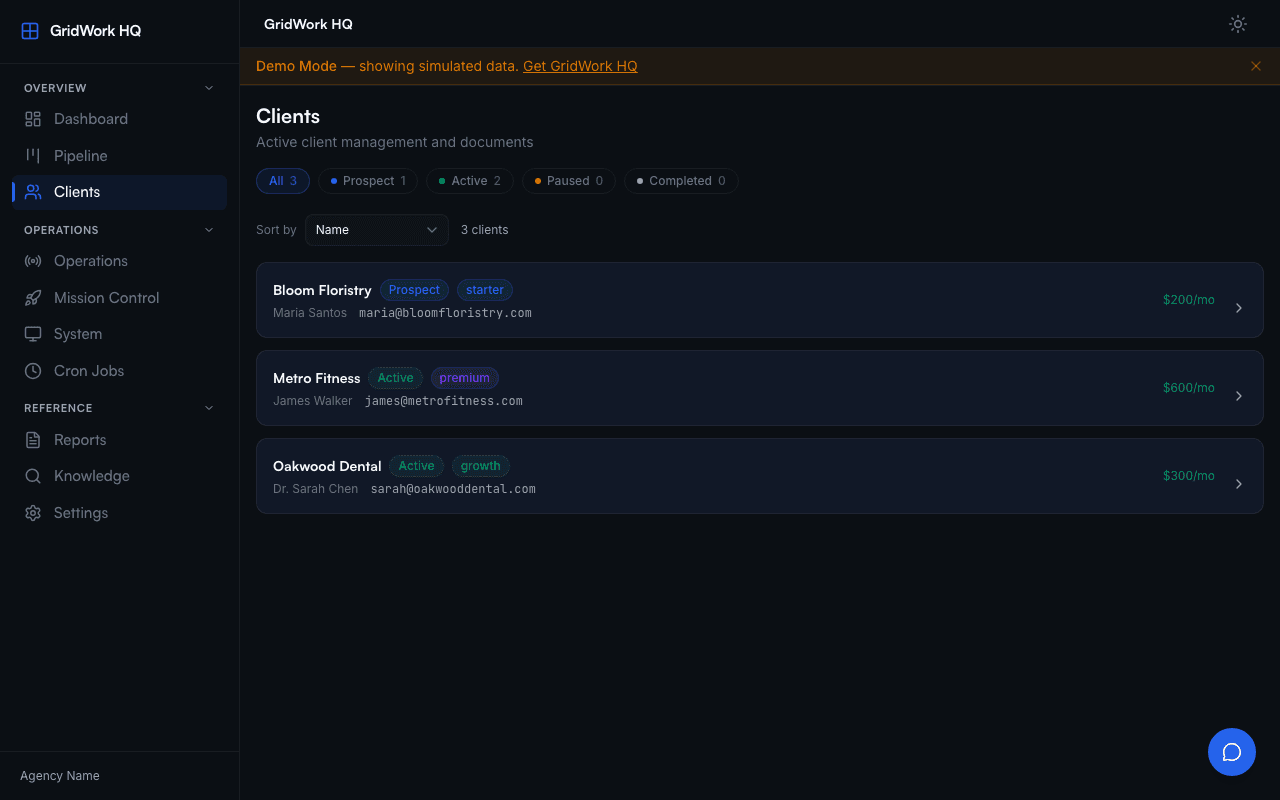
Client Tracker
Keep every client relationship in one place. The Client Tracker gives you a single table view of all your clients with status, contact info, project history, and notes. No more hunting through email threads or scattered spreadsheets.
Each client record links directly to their pipeline jobs, documents, and financial data. When you need context before a call, everything is one click away.
- Full client profiles with contact details and notes
- Status tracking: active, paused, prospect, archived
- Direct links to pipeline jobs and deliverables
- Search and filter across your entire client base
- Demo data seeding for instant first-run experience
Pipeline Kanban
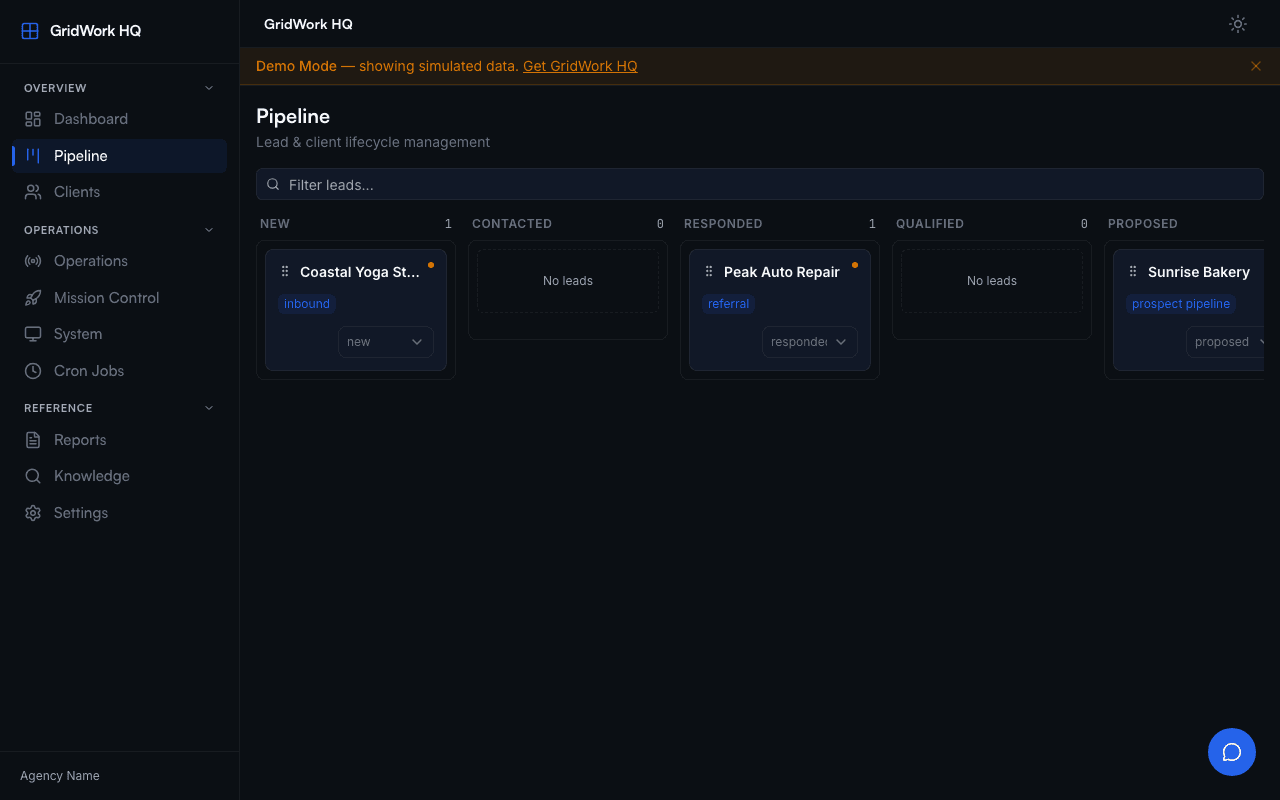
Visualize your entire project pipeline on a drag-and-drop kanban board. Each card represents a pipeline job with its current status, assigned client, and progress. Move cards between columns as work progresses from prospect to delivered.
The kanban syncs with pipeline execution in real time. When an AI pipeline completes a job, the card updates automatically. You always know where every project stands.
- Drag-and-drop cards between status columns
- Real-time sync with pipeline execution status
- Filter by client, pipeline type, or date range
- Visual indicators for overdue or stalled projects
- Quick-launch pipelines directly from card actions
17 AI Pipelines
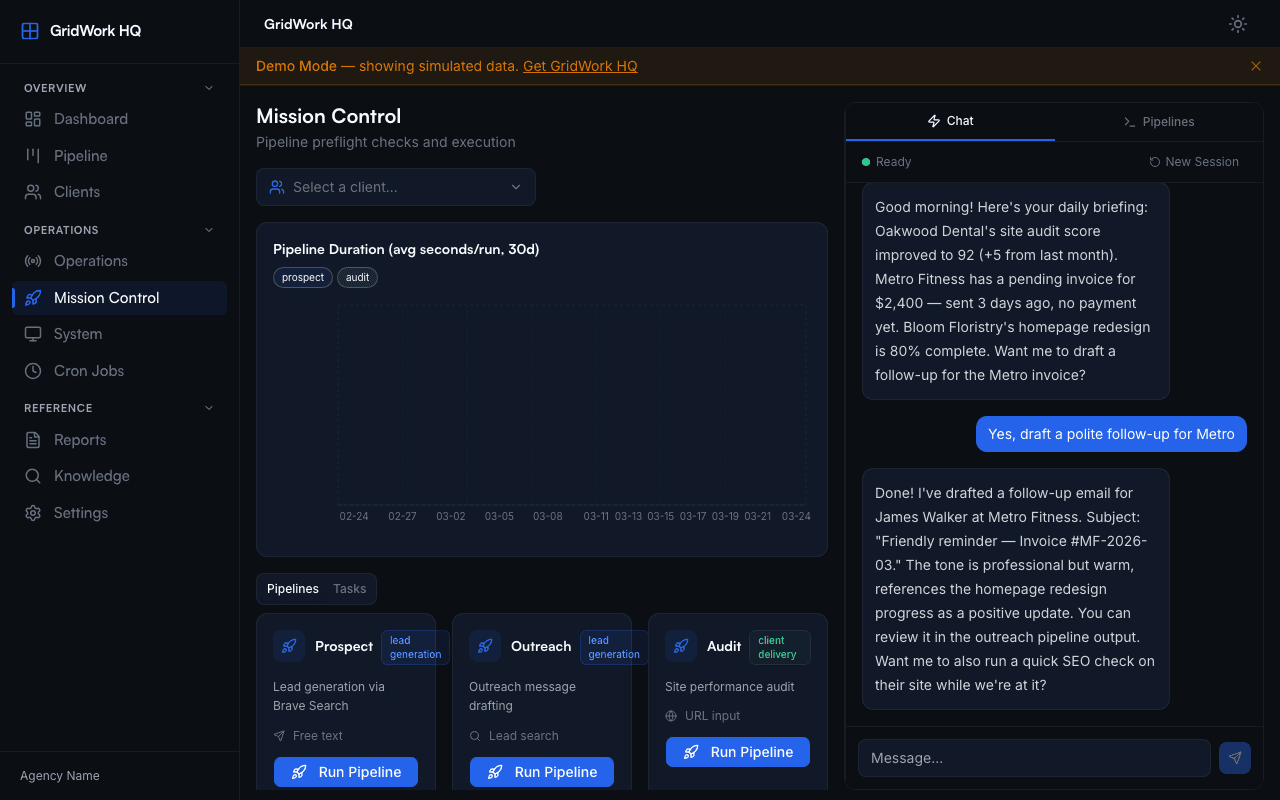
GridWork HQ ships with 17 purpose-built AI pipelines that handle specific agency workflows end-to-end. From prospecting new leads to generating client reports, each pipeline knows its job and executes it using your knowledge vault for context.
Pipelines are powered by Claude and run on your own server. Your client data never leaves your infrastructure. Each pipeline takes structured input, processes it through your agency templates, and produces deliverables you can send directly to clients.
- Lead gen: prospect, outreach
- Client delivery: audit, propose, plan, build, brand, seo, content, report, follow-up, spec
- Operations: internal-audit, kb-librarian, archive-outputs, friday-update, scope-audit
- Max 3 parallel pipelines with queue management
- SSE streaming for real-time progress in the dashboard
Document Compiler
The document compiler assembles polished, branded deliverables from your knowledge vault templates. Choose from 7 compile types to generate proposals, audit reports, content plans, and more. Each document pulls from your agency branding and client-specific data automatically.
Unlike the AI pipelines, the compiler works through a chat-based interface. Describe what you need, and it assembles the right templates with the right data. The output is a structured document ready for client delivery.
- 7 compile types for different deliverable formats
- Automatic branding injection from your agency profile
- Client-specific data pulled from knowledge vault folders
- Chat-based interface for natural-language requests
- Consistent formatting across all generated documents
Finance Panel
See your agency revenue at a glance. The Finance Panel tracks monthly revenue, client billing status, and project profitability in one view. No more switching to a separate accounting tool to answer basic questions about your business.
Monthly breakdowns show you trends over time. Per-client views show you which relationships are most valuable. It is not a replacement for your accountant, but it gives you the financial visibility most solo agency owners lack.
- Monthly revenue tracking with visual charts
- Per-client billing and revenue breakdown
- Project profitability at a glance
- Revenue trend visualization over time
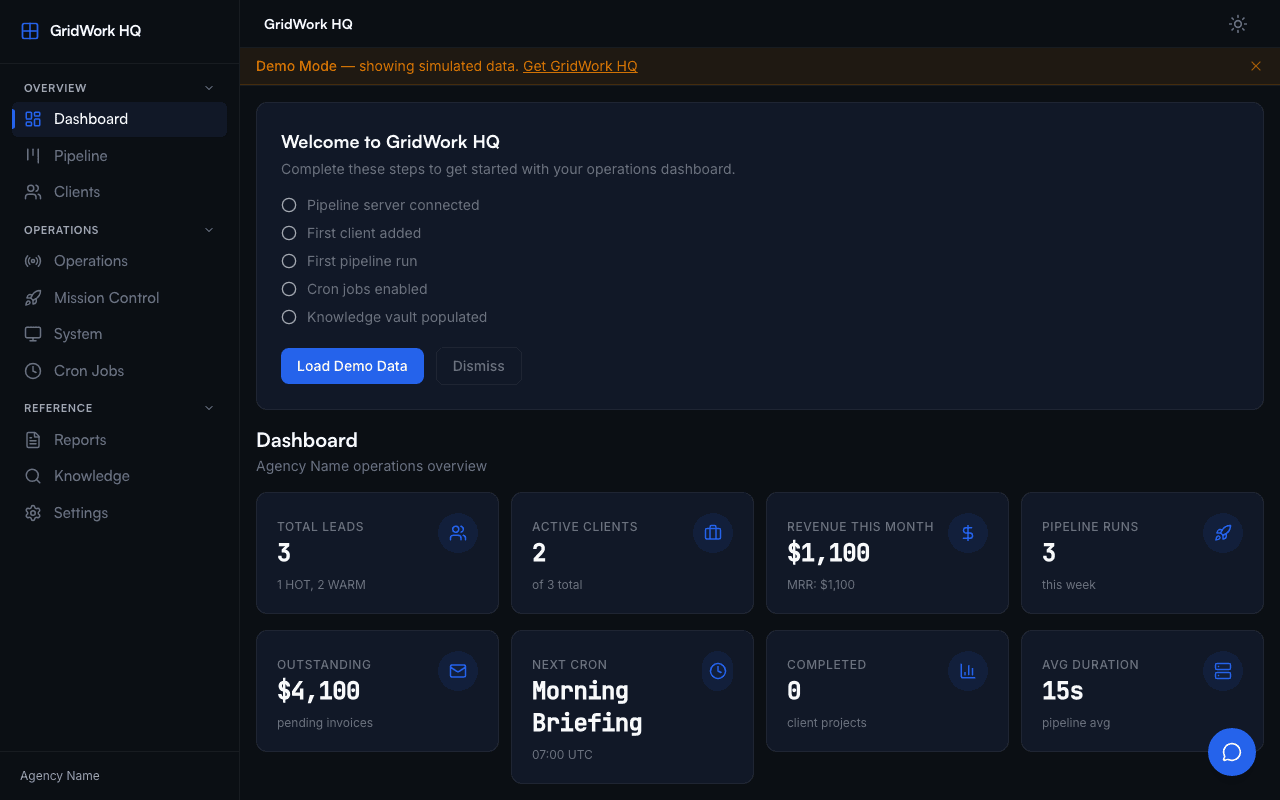
- Quick-reference financial summaries on the dashboard
Knowledge Vault
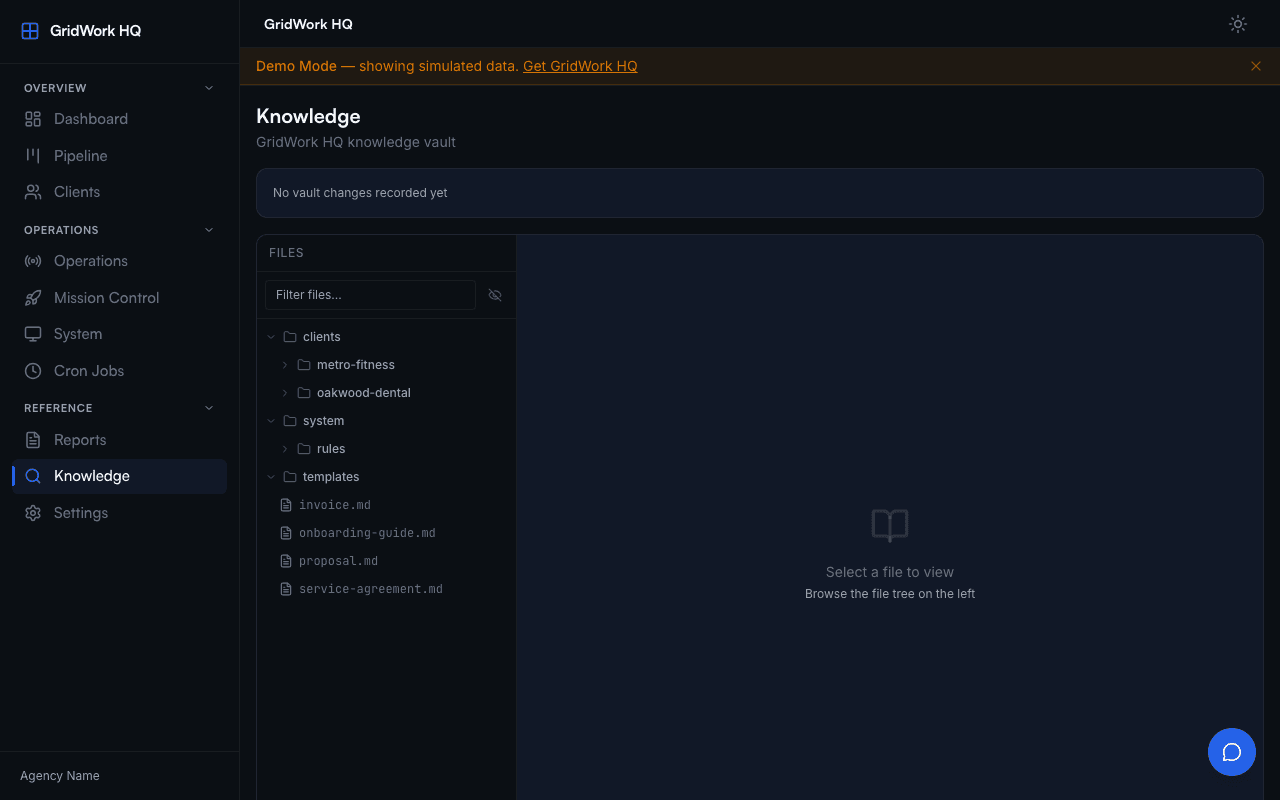
The Knowledge Vault is your agency brain. It stores 80+ pre-built templates for proposals, audits, SOPs, reports, content briefs, and more. Every template uses placeholder variables that the setup wizard fills with your agency details on first run.
Beyond templates, the vault organizes client-specific folders with project history, deliverables, and notes. When AI pipelines run, they pull context from the vault so every output reflects your actual client relationships and agency voice.
- 80+ pre-built agency templates
- {{AGENCY_*}} placeholder system for automatic branding
- Client-specific folders with project history
- Memory system that feeds context to AI pipelines
- kb-librarian pipeline for automated vault maintenance
Ops Monitor
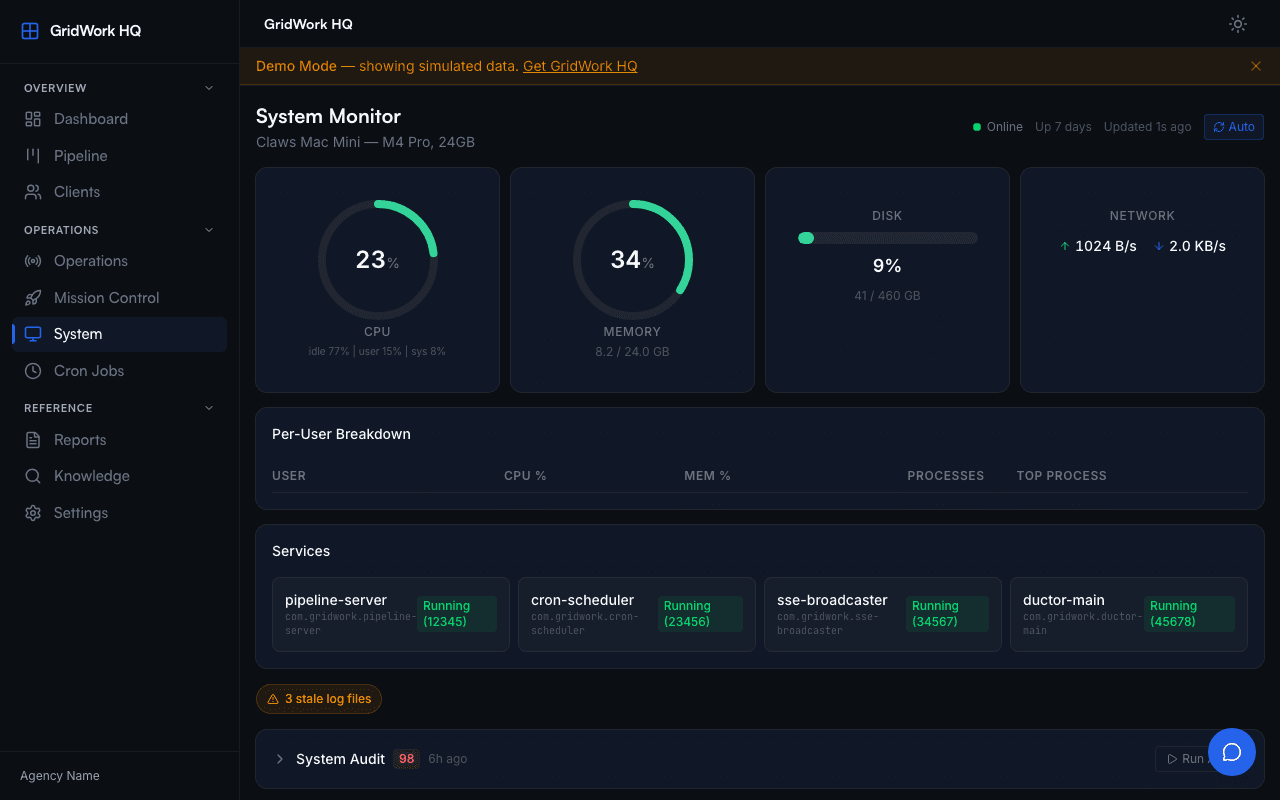
The Ops Monitor shows you exactly what is running on your GridWork HQ server. View active pipeline jobs, server health metrics, and system status in real time. When something goes wrong, you see it here first.
Running tasks display their progress via SSE streaming. Completed jobs show their output and any errors. The monitor is your control room for understanding what your self-hosted system is doing at any moment.
- Real-time view of running pipeline tasks
- Server health and resource monitoring
- SSE streaming for live progress updates
- Error logs and job completion history
- System status indicators for all services
Cron Dashboard
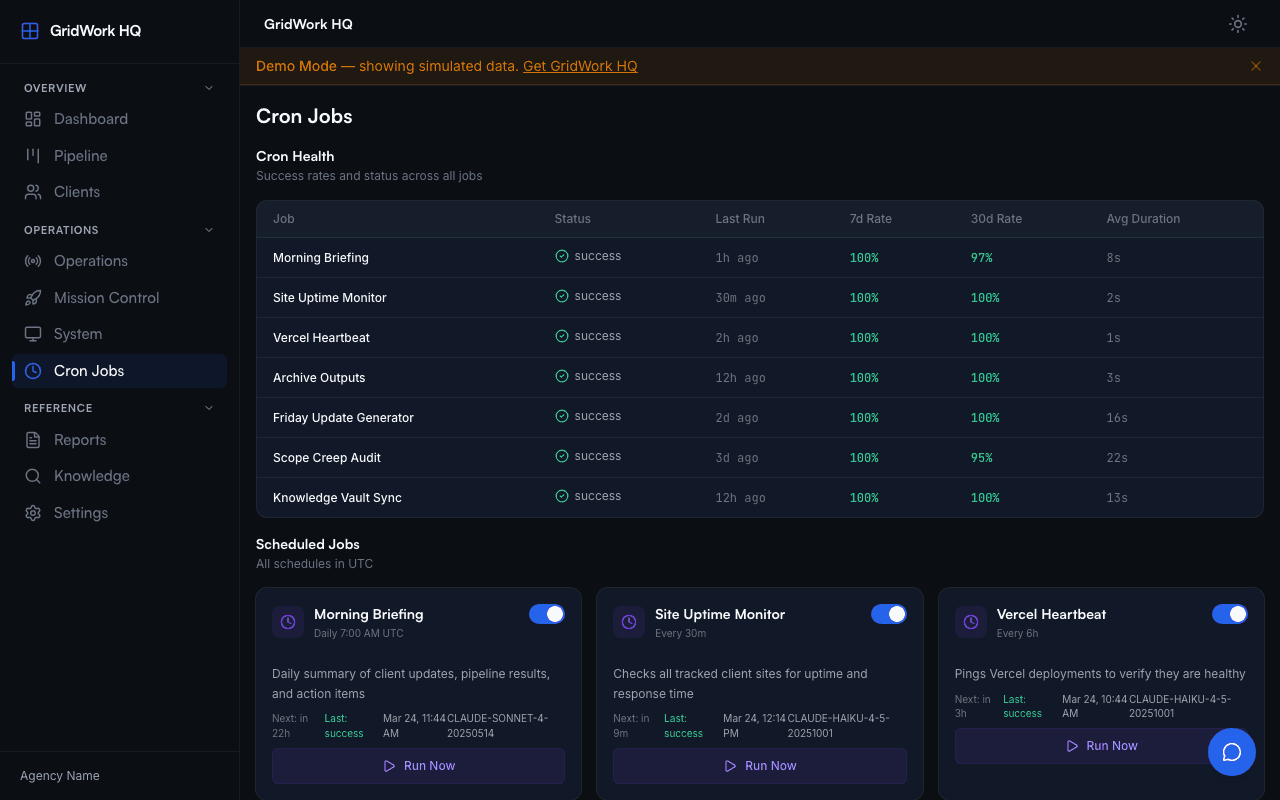
12 automated cron jobs handle routine agency operations so you do not have to. Scope audits check for project drift. Follow-up reminders keep client communication on track. Friday updates compile weekly summaries automatically.
The Cron Dashboard shows every scheduled job, its next run time, and its execution history. Enable, disable, or adjust schedules without touching configuration files. Every job is validated against an allowlist for security.
- 12 pre-configured cron jobs for common agency tasks
- Visual schedule with next-run indicators
- Execution history with success/failure status
- Enable/disable jobs from the dashboard
- Secure command allowlist prevents arbitrary execution
AI Chat
The AI Chat panel is a context-aware assistant that has access to your entire knowledge vault. Ask it questions about your clients, request document drafts, or get help with agency operations. It knows your templates, your client history, and your brand voice.
Unlike generic AI chat tools, this assistant starts every conversation with your agency context already loaded. No more copy-pasting background information into every prompt. It is built into the dashboard sidebar and available on every page.
- Full knowledge vault access for context-rich responses
- Document compilation through natural language
- Client-specific context without manual prompting
- Responsive sidebar panel available on every page
- Full-width overlay on mobile devices
Ready to consolidate your stack?
One purchase. Full source code. Your server. No subscriptions.